
Tablet technology has taken a huge leap in recent years making classrooms increasingly tech savvy with access to an iPad (or similar tablet device) now a common occurrence.
There can be a huge benefit to using technology in a formal or informal learning environment providing the technology is being used to aid the learning. I would suggest you avoid using an iPad simply to tick the ‘using IT’ box on a lesson plan. I’ve seen a lot of really helpful reviews online that discuss some of the best educational apps for the iPad and there are hundreds of useful applications for a range of adults and children, seriously just google them. But the beauty of technology is that a huge number of features come equipped with the device straight from the box. Having led a range of training for using an iPad in a learning environment I thought i’d share my favourite five features with you.
1. Accessibility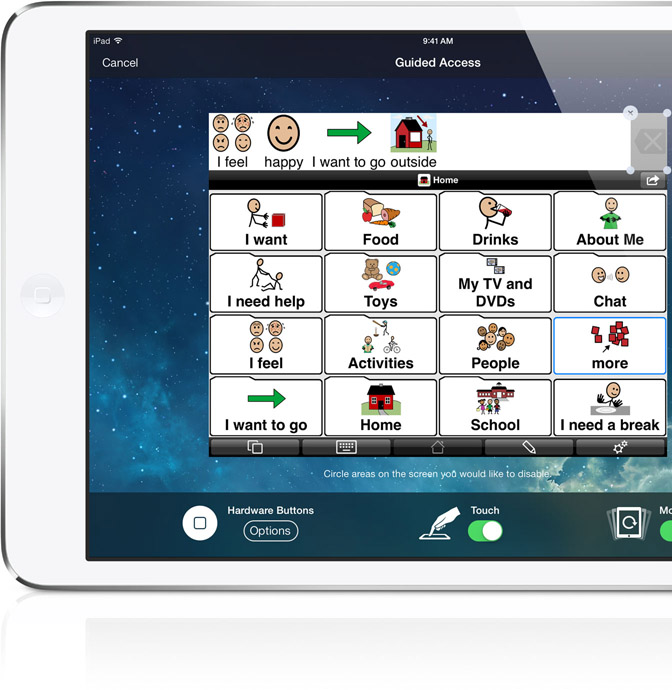
Numero UNO! If i’m honest, it’s a vast range of features but it’s definitely the best thing to happen to tablet technology. Found in the general settings, the ‘accessibility’ features can adapt your iPad to meet a range of needs. Including visual, hearing and physical impairment, some of the guided access functions are particularly helpful when you have pupils who have a tendency to stray from the learning path, apple give an in-depth description of the features here.
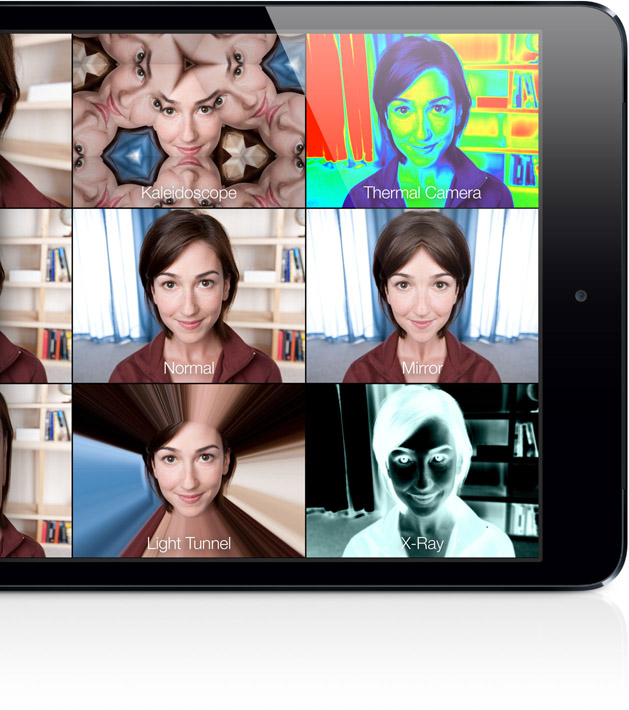 2. The Camera
I love the camera on my iPad, It’s a built in assessment and recording device, if you need to quickly gather evidence of an activity you can record or photograph it in just a couple of clicks without even unlocking your device. An added bonus is how the images and video are stored, you can search your library chronologically enabling you to pinpoint specific lessons and even make use of the location services (number 5 on my list) to pinpoint where the photos were taken, particularly useful if you lead a range of workshops at different sites. The camera also comes with a range of image manipulation features, including real time filters (like the ones in photo booth) and post image editing.
3. Internet
Fantastic for searching and using a range of online resources alongside traditional working tools. The benefit of tablet technology is portability and using the internet while on the move has proven incredibly beneficial in extending pupils learning. Whether you’re searching for a range of information from an outdoor environment or simply using the iPad as an extensive dictionary during a group activity it can add tremendous value. Scaffolding the learning experience is very important and the ‘add to home screen’ feature enables you to save webpage urls as ‘application style’ buttons, providing learners with quick access to useful websites.
4. Airplay
Not quite as ‘out the box’ as promised, The airplay feature built into the iPad can have a dynamic impact on your learning environment. Essentially the feature enables you to mirror the device to any computer accessible screen, pupils can become very engaged when watching a recent activity on the class whiteboard, i’ve found this feature incredibly useful when holding mini plenaries to help scaffold the class learning. Taking a quick photograph of a pupil on task and then using the image on the whiteboard to discuss the learning objective and how this pupil is directly meeting the success criteria can be a powerful exercise. It’s fantastic for showcasing drama too by enabling pupils to replay their acting instantly and can turn the iPad into a control for an entire class activity. Apple offers an Apple TV to enable you to airplay to a range of devices, you can also use software like Reflector to turn any mac, PC or Android device into an airplay receiver (there’s a free trail too).
5. Location Services
Last but not least, the iPads built in location services have a range of uses, their brilliant as mentioned above in attaching location information to images. The iPad comes pre-installed with a compass and map function which are brilliant for exploring the local community and lessons or workshops that involve navigation and exploration. You can show a pupil just how far away another country is using an accurate map, track a walk around your local community or even use the iPad in a regional photography workshop to build up a picture map of your local area.

Well it’s certainly not an exhaustive list and by now you can probably guess that I love using technology to aid creative learning. Although I think it’s important we use technology deliberately and not just as a bolt on to a lesson or workshop. I would love to hear your favourite five features or if you’d like to find out more about some of the ones i’ve mentioned. Just leave a comment or contact me directly here.
 Bright Circle Learning